
Imagefast Portal for Microsoft SharePoint
Share from SharePoint without sending people into SharePoint
A branded front door on the SharePoint content you already manage. Clients, partners and occasional users see only what concerns them. Files stay where they are, under the permissions and controls you already have.
PDF, 2 MB · Or call us: 020 7947 4041
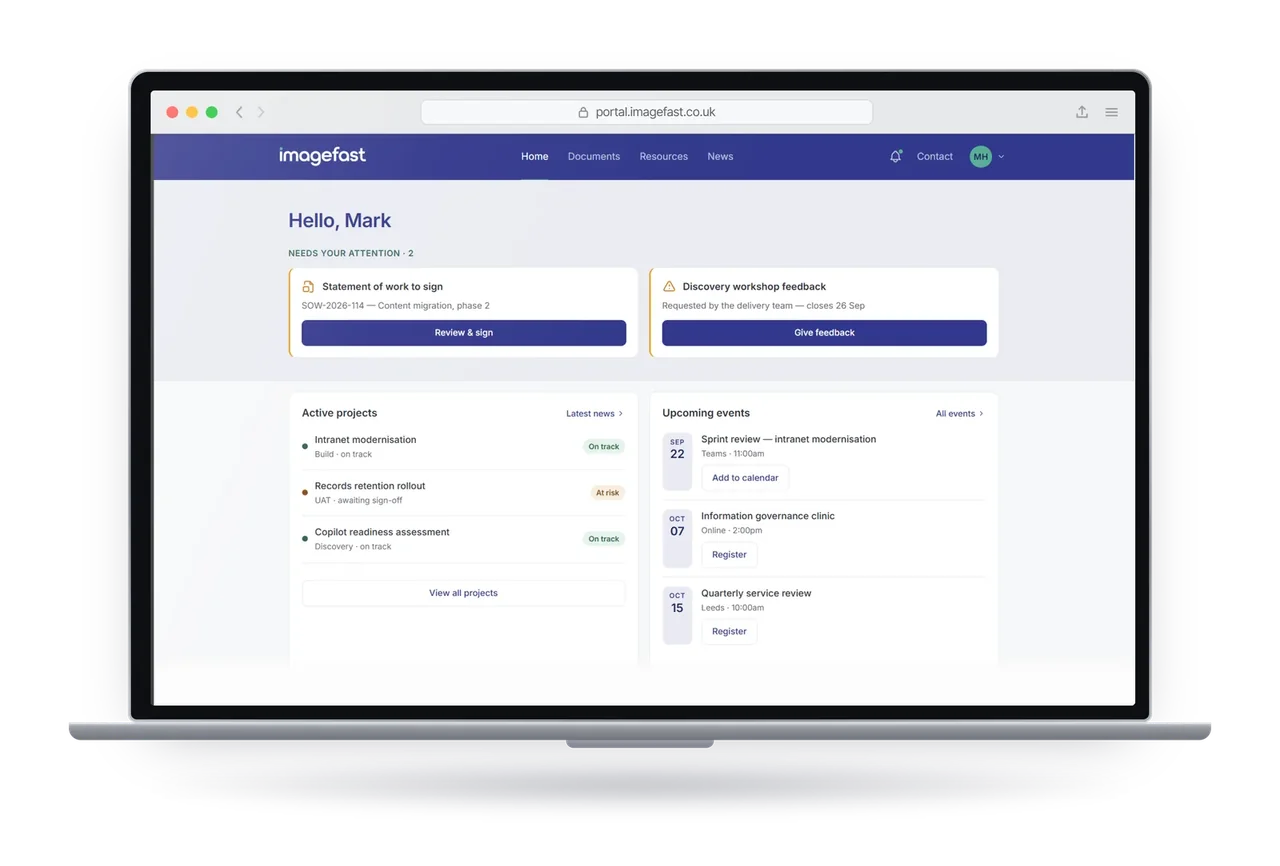
Sharing through SharePoint works until someone outside your team has to use it
SharePoint is built for people who are in it every day. Clients, partners and occasional users aren't, and it shows.
They land in your intranet
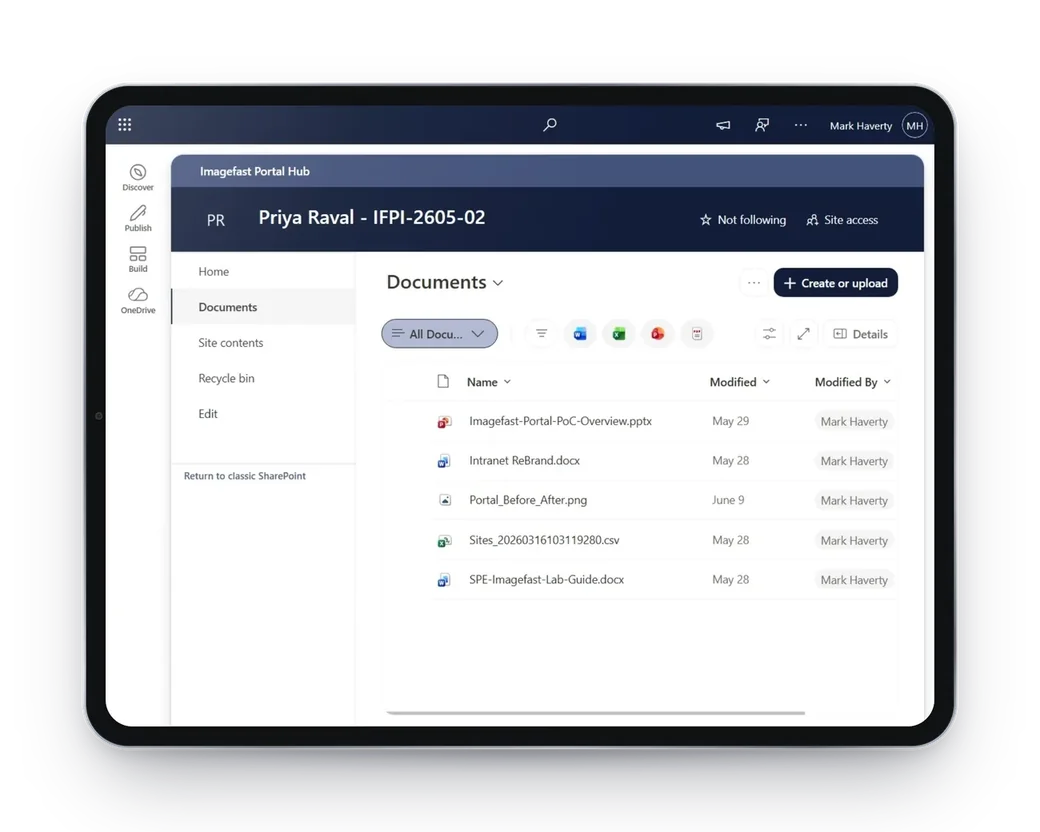
Open a shared link and a guest gets the app bar, the ribbon, Site contents and the Recycle bin. Nobody has shown them where to look, so they email you and ask.
Links pile up
Documents go out one link at a time. A few months in, a client has a dozen URLs spread across their inbox, some expired, some returning “access denied”, and your team is fielding the requests.
One site per client doesn't scale
Every new client or project means another site, another set of permissions and another address to send. Someone working with you on three things has three places to look.
Nothing says it's yours
No welcome page, no status, nothing about the relationship. It looks like a file share, because that is what it is.
So people go around it.
When sharing is awkward or locked down, documents leave as email attachments or through consumer file-transfer sites. That puts them outside the retention, data loss prevention and audit you already pay for in Microsoft 365.
The same SharePoint library. A very different experience.
Same files, same permissions. Only the front end is different.
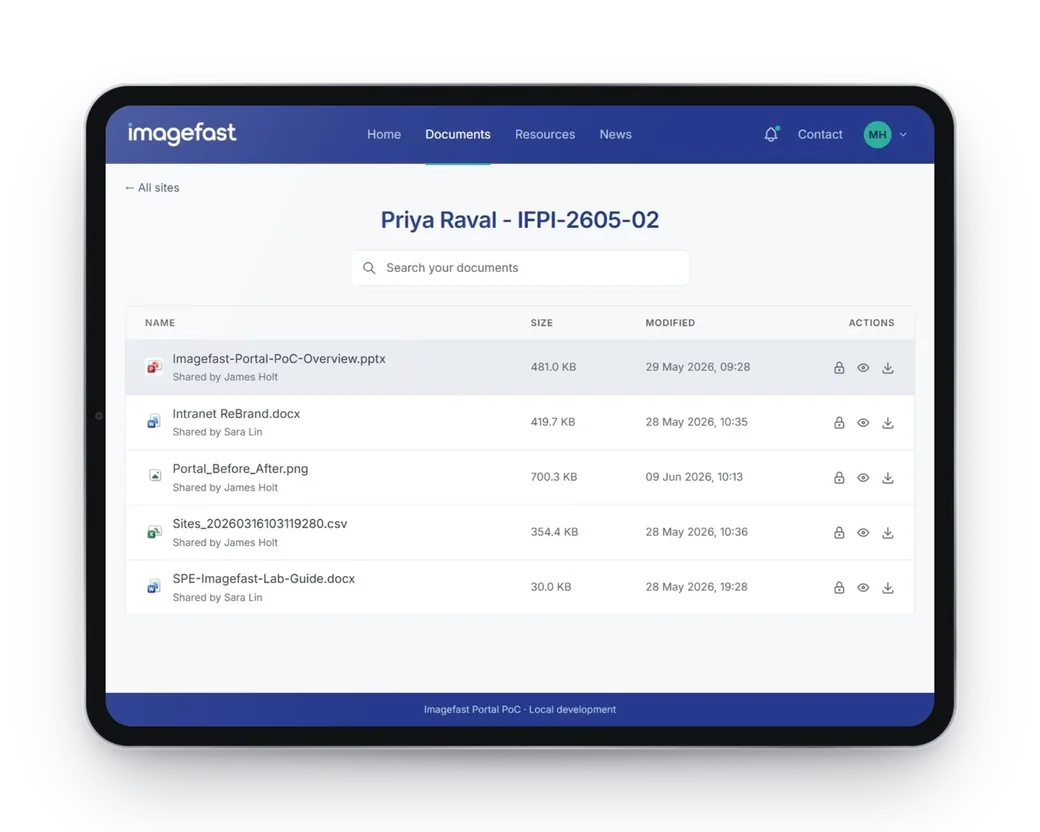
Your portal, your brand, nothing changed underneath
The portal changes what people see and how they reach it. It does not change where anything lives.
Your brand and wording
Logo, colours, language and page layout, set by you during the build.
Pages you choose
What appears, in what order, and for whom.
Search that finds the document
Results open where they are. No sites to navigate, no folders to guess at.
Any device, nothing to install
Runs in the browser people already have, on laptop, tablet and phone.
Room to grow
Add pages and sources later without rebuilding what is there.
Bring your other systems in
The base build draws content live from the SharePoint sites you choose. The connector add-on adds status, actions, submissions and reports from Dynamics 365 and CRM, Power BI, Dataverse and SQL, forms, line-of-business apps and any REST or Graph API.
Your controls still apply. SharePoint still decides who sees what.
Two checks, both of which must pass. The portal keeps no access list of its own.
Check one
The site is on the portal's list
A short list of sites the portal may show, held in its configuration.
Check two
This person has permission
Checked live by SharePoint, against their own access.
Result
Content is shown
If either check fails, nothing is shown.
No second list to drift
Access lives in SharePoint only, so there is nothing to fall out of step with it.
Microsoft 365 compliance keeps working
Retention and sensitivity labels, data loss prevention, eDiscovery and Purview audit apply exactly as they do now.
Identity is unchanged
People sign in with existing Microsoft Entra accounts, internal or guest, under the MFA and Conditional Access you already apply.
The portal controls what someone is shown, not what they are entitled to. Anyone with SharePoint permission and a direct link can still reach SharePoint itself, so your permissions remain the thing to get right.
One portal,
whoever needs a way in
The same build works for people outside your organisation and for your own staff who only visit now and then.
Clients and customers
A private, branded place for their documents, updates and anything waiting on them, instead of a trail of links.
Client extranets, deal rooms, account portals
Partners and suppliers
Share what each organisation needs to see, from the same SharePoint you use internally, without opening up the rest.
Brokers, agents, contractors, suppliers
Your own occasional users
People with a Microsoft 365 account who don't live in SharePoint and just need to find the thing they came for.
Board members, field staff, part-time teams
The usual ways round it, and what each one costs
| Approach | What the person sees | Where your documents live | What it costs you |
|---|---|---|---|
| Share from SharePoint as it is | The full SharePoint interface, built for daily users | In your Microsoft 365 | Support calls, access requests, and staff working around it |
| Customise SharePoint in-house | A themed site, with much of the SharePoint interface still there | In your Microsoft 365 | Specialist time your team is taken off other work for, and upkeep as Microsoft changes the platform |
| Third-party client portal | The vendor's portal | Copied into another vendor's system | Another subscription, another security review, and keeping two copies in step |
| Bespoke portal build | Whatever you specify | Often duplicated into a new store | Months of build and ongoing development |
| Imagefast Portal | A branded portal showing only what concerns them | Where they are now, in SharePoint | A fixed-price build, supported by the team that built it |
Questions we are usually asked
Is anything installed into SharePoint?
No. The portal sits alongside SharePoint and reads from it. Nothing is installed into your sites and nothing inside them changes.
What accounts do external people use?
Existing Microsoft Entra accounts, guest or member. The portal is not an identity provider, so your MFA and Conditional Access carry over. We confirm licensing against your own tenant before quoting.
What if someone already has a direct SharePoint link?
It still works. The portal changes what people are shown, not what they are entitled to, so SharePoint permissions remain the control.
How is it priced?
As a fixed-price build, quoted after a demonstration, with no paid discovery phase to work through first. Imagefast builds the portal and supports it afterwards.
See it working in 45 minutes
A live portal, not slides. We talk through the SharePoint sites in scope, how you want it to look and anything you would want it to connect to. We then send a fixed-price quotation afterwards.
Or call us directly: 020 7947 4041

Microsoft, Microsoft 365, SharePoint, Microsoft Entra, Dynamics 365, Power BI, Dataverse and Purview are trademarks of the Microsoft group of companies.