
ChatGPT, From First Plan to Working Automation
Most of your staff have already used ChatGPT, which is both an advantage and a governance problem. We turn scattered personal use into something your business can manage and measure.
Why ChatGPT, and Why Us
ChatGPT has the widest name recognition of the three, which counts for more than it sounds. Getting a whole team to try something new is easier when most of them have already used it at home, and the training conversation starts from a higher base.
That familiarity is also the problem. Staff who have been using personal accounts have been putting company information into a service your business has no control over, no visibility of, and no agreement with. Moving them onto a managed workspace is often the single most useful thing a business does in the first month.
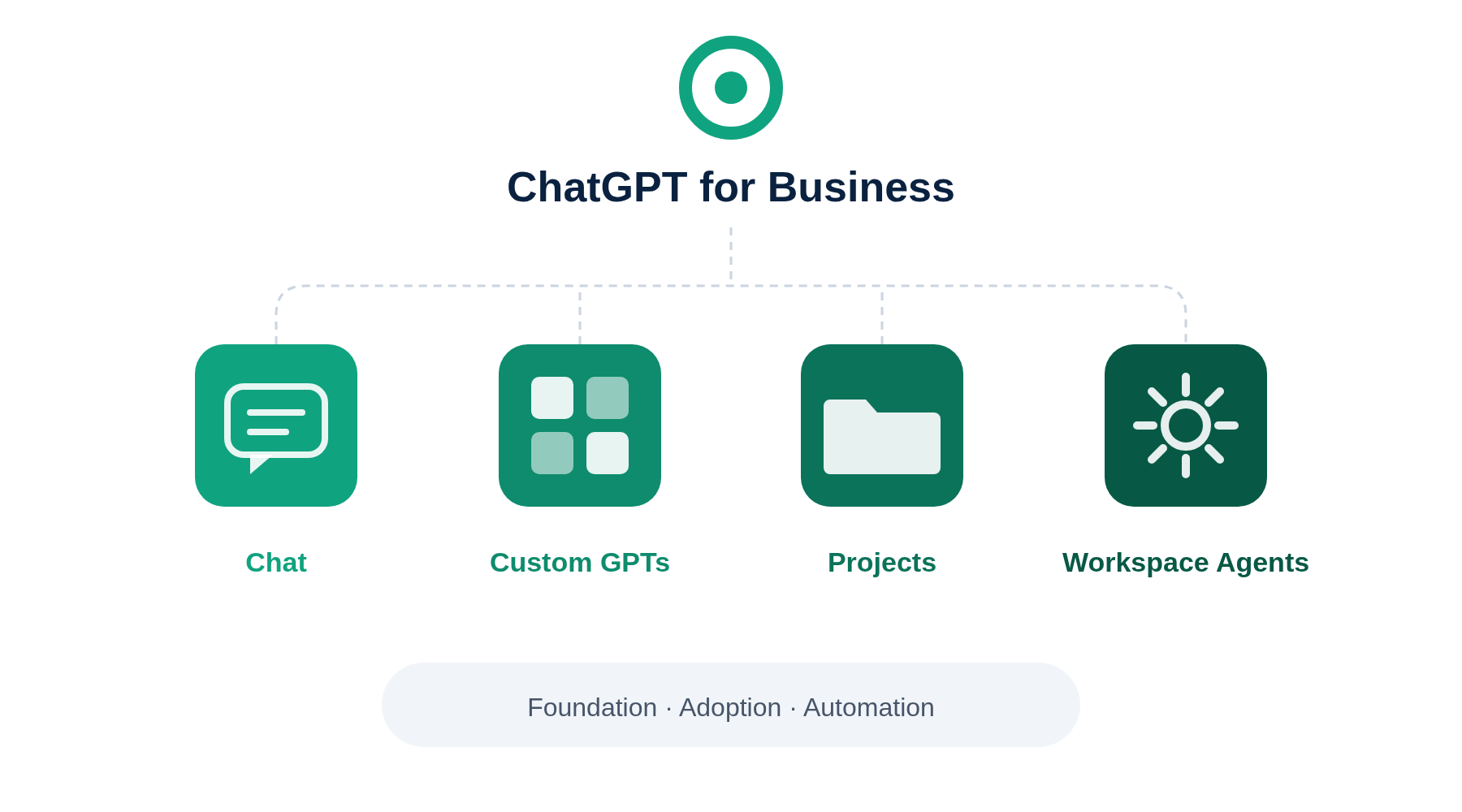
The other thing most businesses miss is Custom GPTs. Configuring an assistant once, for a specific repeat task, and sharing it across a team gives far more consistent output than everyone writing their own prompts. It is the closest thing to a quick win we see on this platform.
Shadow Use Handled Properly
We help you move people off personal accounts without making it feel like a crackdown, which is what determines whether they actually move.
Configuration Over Prompting
Custom GPTs and shared setups give consistent output across a team, rather than results that vary by whoever wrote the prompt.
A Route to Automation
Workspace Agents turn repeat processes into something that runs, and we take teams there rather than stopping at training.
Sound Familiar?
The conversations we have with businesses about ChatGPT almost always start in one of these four places.
Your staff are already using it, on personal accounts
Company information is going into a service you have no agreement with, no visibility of and no control over. Nobody decided this, it simply happened.
Skill levels vary enormously
Some people have used it daily for two years, others have never opened it. A single generic training session serves neither group.
It is being used as a chatbot and nothing more
Nobody has built a Custom GPT, so every person writes their own prompts from scratch and the quality of the output depends entirely on who asked.
No route from asking questions to running processes
There is a clear gap between staff asking ChatGPT questions and ChatGPT handling a piece of process end to end, and no obvious way to cross it.
Three Stages, One Journey
Every ChatGPT engagement follows the same three stages. Training builds capability across your teams, consulting handles the work that will not fit a standard course.
1. Foundation
A realistic plan grounded in how your business actually works, with governance settled before anything is rolled out.
2. Adoption
Role based training and internal champions, so usage embeds rather than tailing off after a fortnight.
3. Automation
ChatGPT connected to the systems you run on, and purpose built tools where the business case justifies them.
ChatGPT Training Courses
Eight courses following the three stage sequence. Delivered to your team at your offices or online, or book individuals onto an open public course.
| Course | Who it is for | Format | Price |
|---|---|---|---|
| STAGE 1 · FOUNDATION Deciding whether and how to roll out. | |||
| ChatGPT Readiness Workshop Understand what ChatGPT can and cannot do, see use cases relevant to the business, and leave able to make a rollout decision. |
Leadership and decision makers | Half day, on site or online | On request |
| AI Governance and Data Essentials for ChatGPT Understand business plan data handling, the admin console, workspace controls, plugin approvals and acceptable use, including how to move staff off personal accounts. |
IT lead or operations manager | Half day | On request |
| STAGE 2 · ADOPTION Getting the whole team using it properly. | |||
| ChatGPT Fundamentals Learn the chat interface, using and building Custom GPTs, Projects, working with documents, and prompting built into the session rather than taught separately. |
All staff | Half day | On request |
| Advanced ChatGPT Go further with prompting for complex tasks, build and configure Custom GPTs for team specific work, use company knowledge across connected applications, and build a Workspace Agent to run a repeat process. |
Staff who have completed Fundamentals | Half day | On request |
| ChatGPT Champions Programme Go deeper on capability, Custom GPT and Workspace Agent building, and troubleshooting, so you can support colleagues building their own. |
One or two nominated power users per team | Three half days over six weeks | On request |
| STAGE 3 · AUTOMATION Connecting it to your other systems and building on it. | |||
| Integrating ChatGPT: An Introduction Understand the integration landscape: plugins and apps, the Model Context Protocol, Workspace Agents, and lighter touch tools such as Zapier and Power Automate. |
IT, operations and technically minded champions | Full day | On request |
| Building Your First ChatGPT Integration Build something working for your own business, such as a Workspace Agent connected to a CRM or an automated flow into another application. |
IT and technical champions | Full day, hands on | On request |
| From Integration to Custom Application Use the OpenAI API and Agents SDK to move from connected data to a purpose made tool for a specific process. |
Technical champions who have completed the above | Full day | On request |
Consulting
The work that depends on your systems and processes, and could not sensibly be delivered as a standard course.
Specific to ChatGPT
ChatGPT Readiness Assessment
A review of current workflows, existing informal use across the business, and two to four high value use cases worth starting with.
Custom GPT Setup
Building team or function specific assistants, preloaded with the right instructions and knowledge, plus a review of how they are being used.
Workspace Agent and Integration Build
Design and build of the automation itself, whether that is a Workspace Agent, a plugin connection or a custom integration, including testing and handover.
Available at every stage
These run the same way whichever platform you choose.
- 90 Day Rollout Plan · sequencing licensing, training and first use cases
- Integration Opportunity Mapping · which systems are worth connecting, and what each would save
- Custom Application Discovery and Scoping · defining the problem before anyone builds anything
- Custom Application Build · design, build, test and deployment
- Automation Roadmap · sequencing several builds over time
- Ongoing Support and Iteration · retained support as things change
WHAT THIS REPLACES
STAGE 1
Rolling out licences with no plan, while staff experience varies wildly depending on whether they already used it privately.
STAGE 2
Staff using ChatGPT as a generic chatbot with no shared setup, missing the consistency that a properly configured Custom GPT gives a team.
STAGE 3
ChatGPT staying confined to one off conversations, disconnected from the systems the business runs on.
What You Should Know Before You Buy
Straight answers on the things that catch businesses out, checked against the vendor's own current documentation.
It is called ChatGPT Business now
The plan previously known as ChatGPT Team was renamed ChatGPT Business. If you are reading guidance that still says Team, it predates the change.
Two seat minimum
You can start with a small group rather than committing the whole organisation, which suits running a pilot before a wider rollout.
Your data is not used for training by default
OpenAI states that business customer data is not used to train its models by default. As with the other platforms, this covers the business plans rather than personal accounts.
Certifications
OpenAI holds SOC 2 Type 2, ISO/IEC 27001 and ISO/IEC 42001, the AI management systems standard, and offers a data processing addendum for GDPR.
UK data residency is not on the Business plan
Data residency, including the UK, is available to Enterprise and eligible API customers rather than to the Business plan. If in-region data handling is a requirement for you, that changes which plan you need, and we would rather raise it now than after you have bought.
Custom GPT creation is workspace only
Building and publishing Custom GPTs now requires a workspace plan rather than a personal one. It is another practical reason to get staff onto managed accounts.
All Courses in One Place
Every course across all three platforms, with formats, audiences and prices.
Frequently asked questions
Is it still called ChatGPT Team?
No. The plan was renamed ChatGPT Business. The functionality carried across, but a good deal of published guidance still refers to Team, so it is worth knowing that they are the same thing when you are comparing advice. Above Business sits Enterprise, which adds stricter administrative and compliance controls.
Which plan do we need?
For most smaller businesses ChatGPT Business is the right starting point. It has a low seat minimum, includes admin controls, single sign on and workspace management, and keeps your data out of model training by default. Enterprise becomes relevant if you need audit logging, a compliance API, data residency, or automated user provisioning from your directory. We confirm the current position as part of the readiness assessment, since OpenAI changes plan features and pricing frequently.
Our staff already use personal ChatGPT accounts. Is that a problem?
It is the most common issue we find, and yes. Company information going into personal accounts sits outside any agreement your business has, outside your visibility, and outside your control, and the data handling terms for personal plans differ from the business ones. The fix is not a ban, which tends to drive it further underground. It is to give people a managed workspace that is better than what they were using, explain plainly why it matters, and make moving across easy. We build that into the rollout plan.
Is our data used to train the models?
Not on the business plans by default. OpenAI states that it does not train its models on business customer data unless you opt in. The distinction that matters is between business plans and personal accounts, since the terms are not the same, which is another argument for moving staff onto a managed workspace rather than leaving them on their own subscriptions.
Do we still build Custom GPTs, or has that changed?
Custom GPTs still exist and remain useful, particularly for repeat tasks where you want consistent output across a team. Two things have changed. Creating and publishing them now requires a workspace plan rather than a personal account. And for connecting to other systems, the recommended route has moved from GPT Actions to plugins and the Model Context Protocol. Workspace Agents have also arrived alongside them for multi step work that runs rather than responds. We cover the current position in training rather than teaching an approach that is on its way out.
Related Pages
The AI Adoption Framework
The three stage approach behind this page, and how the stages apply whichever platform you choose.
Learn moreMicrosoft Copilot
The same journey delivered on Copilot, usually the default if you already run Microsoft 365.
Learn moreClaude
The same journey delivered on Claude, often preferred for writing, document analysis and technical work.
Learn moreWhere Should You Start With ChatGPT?
Book a free 30 minute discovery call. We will tell you which stage you are actually at, and what a sensible first step looks like for a business your size.
Or call us directly: 0207 947 4041